Choosing between Crave Standard With Ads and Crave Premium starts with how you watch: how many streams you need at once, whether you need downloads and whether 4K matters to you. Check how you watch on a television, too. Opening a TV app and casting from a phone are different routes.
This documentary comparison uses Crave’s official feature pages checked on October 22, 2026, Montréal time. It explains the published features; it is not a playback test or a measurement of video quality.
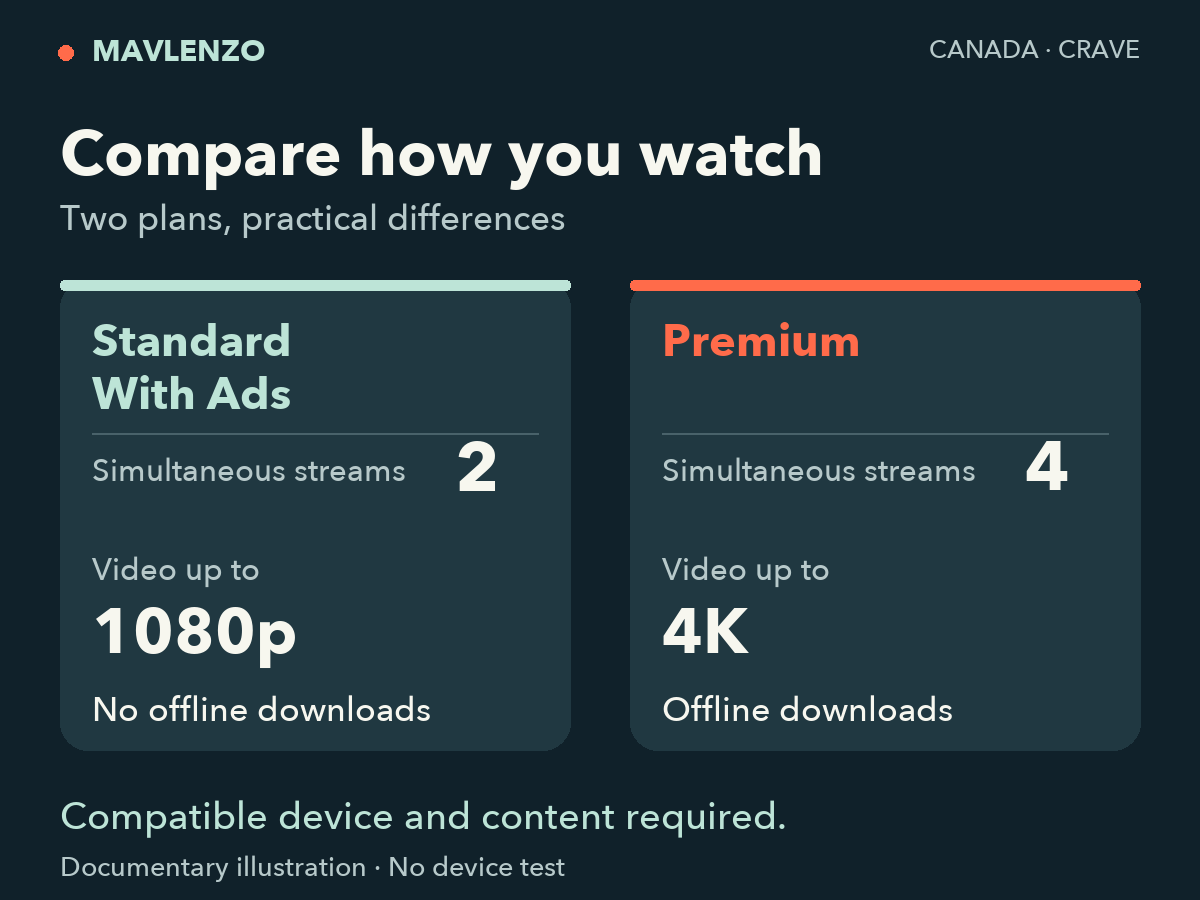
Standard With Ads or Premium: the practical differences
Crave’s official plan information distinguishes the options below. Video resolutions are advertised ceilings, rather than a guarantee for every program.
| Feature | Standard With Ads | Premium |
|---|---|---|
| Simultaneous streams | 2 | 4 |
| Advertised maximum resolution | Up to 1080p | Up to 4K |
| Offline downloads | No | Yes |
| Advertising | Ad-supported plan | Films and series described as ad-free in the plan information |
| Live channels | Noovo only, according to the plan information | Access to live channels; check the current line-up |
Simultaneous streams are different from the number of devices on which you want to install an app. For example, needing three streams at once exceeds Standard’s two-stream ceiling. This comparison does not describe account-sharing rules: check those with Crave for your offer.
On a television, check the app and casting separately
This distinction is easy to miss. Crave’s device compatibility page says casting is not currently supported for ad-supported content and plans. That section covers AirPlay and Chromecast.
If you start a video on your phone and send it to a TV, check that restriction before buying. If you open the Crave app directly on a TV or streaming device, consult the section for your exact model instead. A brand appearing in a list does not validate every generation of its devices.
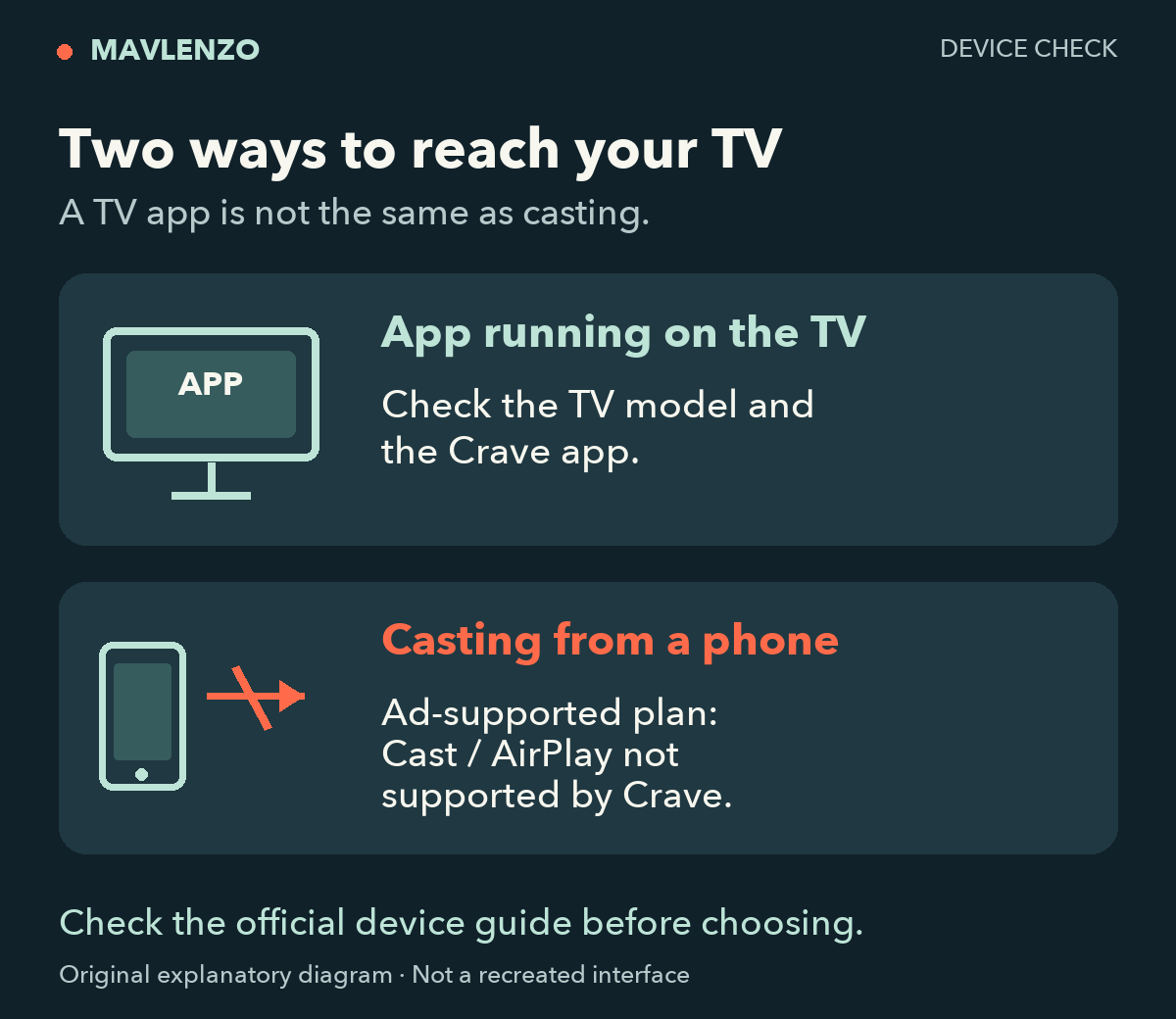
To prepare, note your TV or streaming device model, its system and how you open Crave. Our guide to choosing a streaming device helps distinguish equipment types; Crave’s own list remains the reference for its app.
Three situations to help you decide
These are fictional situations illustrating a decision, not customer testimonials.
- One or two streams, 1080p meets your needs and you accept advertising: consider Standard With Ads, then confirm the viewing route on your devices.
- Three or four streams at once, or a need for downloads: Premium matches the published features for those needs. Check the eligible content and devices before relying on downloads.
- 4K is your priority: Premium advertises that ceiling. Then check your chosen content and equipment requirements; buying the plan does not establish that every stream will be 4K.
Video transcript
- Standard With Ads: 2 simultaneous streams, up to 1080p.
- Premium: 4 simultaneous streams, up to 4K and offline downloads.
- Check the device, casting and official price before you pay.
What to check before paying
- Open the official Crave subscription page or the offer from your chosen seller. Review the current amount, currency, taxes and displayed terms. No single current price has been verified for this guide.
- Check the exact plan name. A direct subscription, an operator offer and a bundle each need to be compared using their own terms.
- Check your device and viewing route: native app, browser or casting. Device compatibility and plan features are separate questions.
- For live channels and specific programs, check the current selection. A plan summary does not establish the availability of an individual title.
Common questions
Does a 4K TV mean every program will play in 4K?
Premium’s advertised ceiling is “up to 4K”. Check the conditions for the title, app and equipment. We have not measured 4K playback for this comparison.
Does Standard include downloads for offline viewing?
The official feature page reserves downloads for Premium. If this is your main requirement, also check eligible content and devices in Crave’s help pages.
Where can I find the current price?
In the official purchase flow for the offer you are considering. The FAQ used here describes features; old prices in an article or promotion do not replace the amount displayed before your order.
Disclosure: Mavlenzo sells its own IPTV subscriptions. The information on this page concerns Crave’s offers, with official links so you can check them with that service.
Sources and method
- Crave — plans and features, an English-language primary source.
- Crave — device compatibility and casting restriction, an English-language primary source.
The tables, diagrams and animation are original Mavlenzo explanations based on those documents. They do not depict a tested interface. For other setup tasks, browse our guides and articles.