A blocked Netflix download does not always mean your phone is short of space. The message may concern an expired title, a download allowance, too many download devices or a title’s last permitted download. These situations call for different checks. Before deleting anything, record the exact message, code and affected device.
This documentary guide uses official help checked on November 3, 2026. It helps you choose a relevant check and understand its consequences. We have not reproduced these errors on an account or tested a repair.
1. The title has expired: check that title
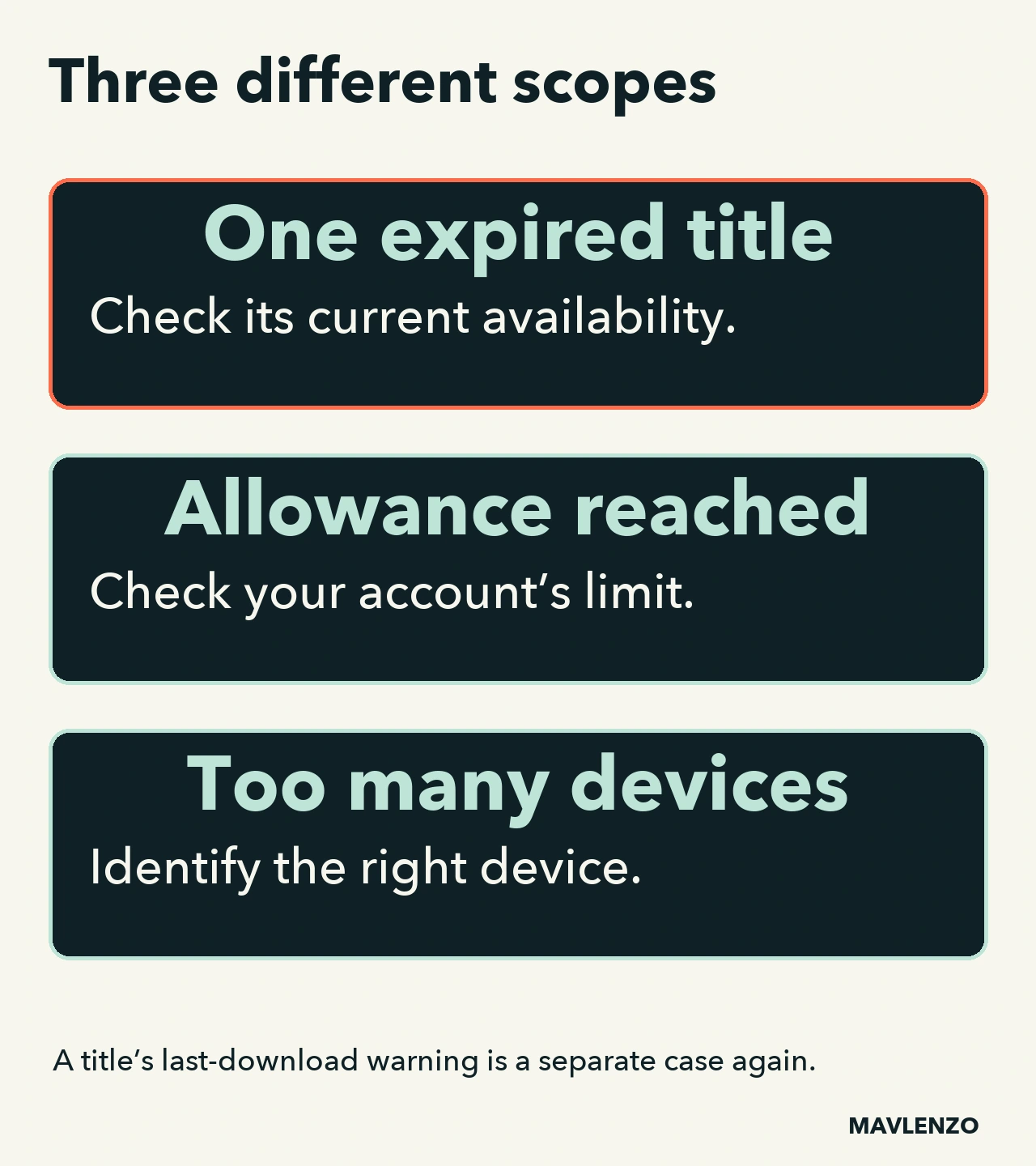
Netflix’s expired-download help explains that downloaded files expire after a certain amount of time. A movie or show no longer available on Netflix cannot be renewed or downloaded again.
If the title is still available, the renewal procedure says to delete that download and download it again. For iPhone or iPad, the help also asks you to check whether the device’s date and time are correct. It does not recommend falsifying the clock to bypass a limit.
A new attempt can still encounter a licensing limit. Do not delete your entire library over one expired episode: first identify the title and the instructions for your device. Plan for an internet connection if you need to download it again.
2. Download Max Reached: check the allowance
The Download Max Reached help page describes an allowance associated with an ad-supported plan. This is different from the space occupied on your phone. Help offers waiting for the allowance to reset, streaming online or examining another plan.
A documentation limitation remains: the French Canadian version refers in one place to a billing cycle and elsewhere to a reset at the start of the calendar month. The English version uses calendar-month wording. We do not turn these formulations into a universal number or reset date for your account. Check the displayed message and ask Netflix to confirm if the date is unclear.
Do not assume deleting files restores a consumed allowance. Before paying for another plan, check its current capacity and price; a plan change is not a universal solution to the other messages covered here.
3. Too many devices: check where the downloads are
Codes 10016-23000 and NQL.23000, on the Android, iPhone or iPad devices covered by Netflix’s corresponding help, indicate a limit on devices containing downloads. This is not the number of people streaming simultaneously.
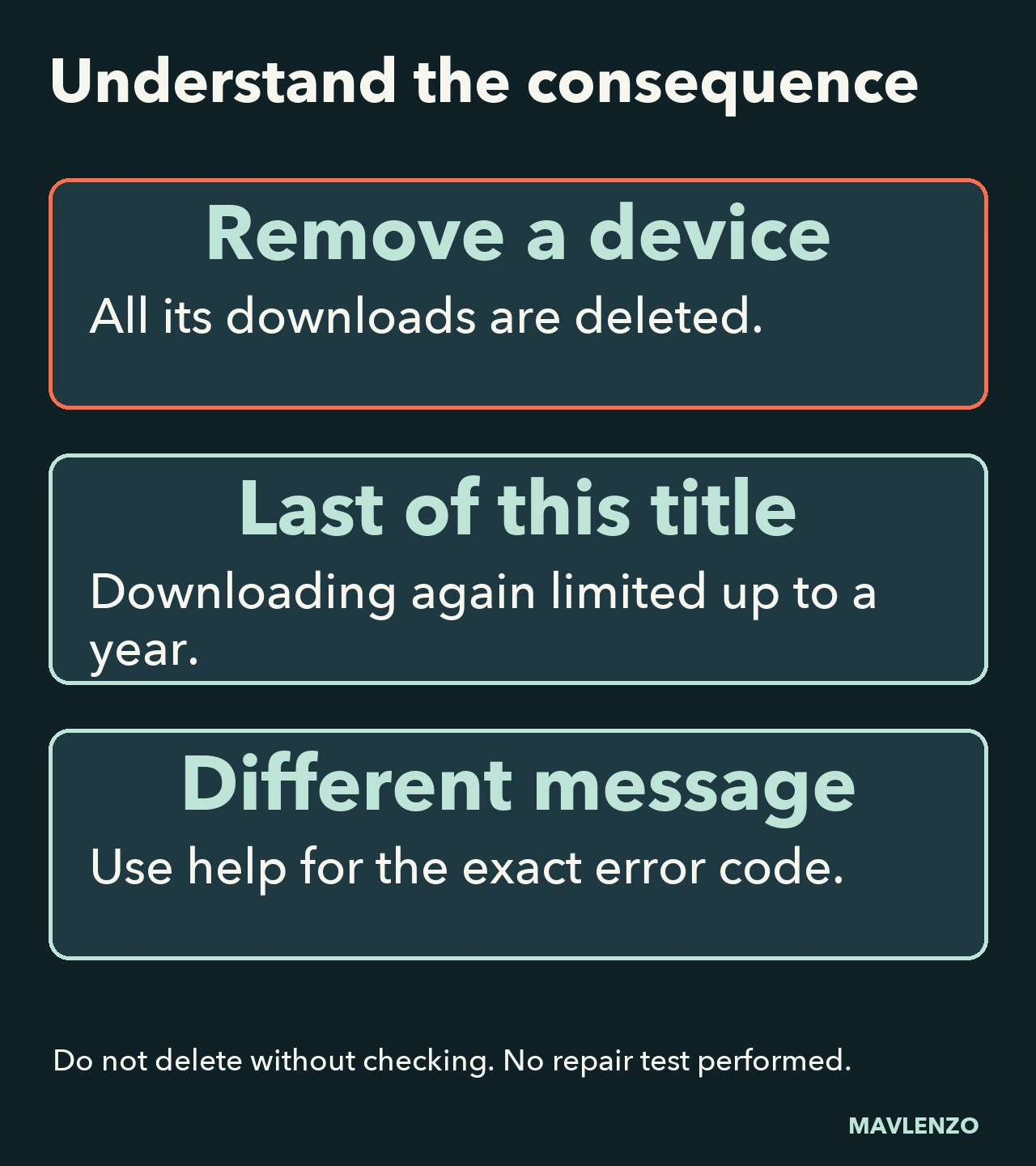
Check Manage Download Devices to see your current limit and identify the affected device. The removal option described by Netflix deletes all downloads from that other device. It does not remove just the episode causing concern.
Before confirming, check that you recognize the device and that its user can do without those offline files. If you need to keep the downloads, stop that action and examine Netflix’s other options. This guide does not trigger any deletion.
4. One download left: check the title restriction
The last-download warning on iPhone or iPad concerns a particular title. Some shows and movies can only be downloaded a limited number of times per year per account.
Netflix says that after confirming this last download, you may be unable to download the same title again for up to a year. That does not mean a guaranteed January 1 reset. If you need to watch sooner and cannot download it again, help offers online streaming or choosing a different title to download.
Do not treat this as a monthly allowance or a storage shortage. A higher plan must not be presented as a guaranteed way to remove a licensing restriction.
Two situations, two different decisions
Fictional example A: a tablet displays NQL.23000 before a trip. The first task is to identify an unneeded download device and assess the loss of its files. According to this error page, waiting for the start of a month is not the offered action for freeing that device.
Fictional example B: an iPhone warns that a movie has one download left. Deleting episodes from another tablet does not address that movie’s restriction. The decision is whether to use the last download now, stream online or choose another title.
Your before-action worksheet
- Copy the exact message and code, without sign-in details.
- Note the device and app version, if known.
- Identify the scope: one title, all new downloads or multiple devices?
- Identify the consequence of the proposed action: deleting one file, deleting every file from another device, waiting or making a paid change.
- If the message does not match these four cases, consult help for that exact code. Do not automatically reuse a neighbouring procedure.
Keep this worksheet private. If you contact support, hide personal information in any screenshot. Find other practical paths in our Guides.
Watch how the messages differ
Our original animation shows a decision process and its consequences. The diagrams are not app screenshots and do not depict a completed repair.
Video transcript
- Record the message and its code
before deleting any files. - A title, allowance and device count
are not the same restriction. - This animation explains official help.
No repair has been tested. - A download can expire.
First check the affected title. - A title removed from Netflix
cannot be downloaded again. - Renewal may require deleting that
file and downloading it again. - A reached allowance does not simply
mean your storage is full. - The pages differ on the period.
The guide explains this uncertainty. - Check your account’s limit. Deleting
does not guarantee it is restored. - NQL.23000 concerns too many devices
that contain downloads. - Removing another device deletes
all downloads from that device. - Identify the device and the effect
before confirming a deletion. - On iPhone or iPad, a last-download
warning can concern one title. - After confirmation, downloading it
again may be limited for up to a year. - This documentation does not guarantee
a reset on January 1. - One title or several devices?
Record the scope of the problem. - Record what the action deletes
or changes before carrying it out. - Another message? Find its exact help.
Original diagram; sources in the guide.
Sources and limitations
We read the four official Netflix pages linked in the sections in French Canadian and English on November 3, 2026, Montréal date. Both language versions come from the same provider. The allowance wording discrepancy remains disclosed; no allowance number or reset calendar is generalized.
The cases, worksheet, images and animation are original Mavlenzo explanations. They do not confirm catalogue availability, a particular download entitlement or a repair outcome. Mavlenzo offers a separate service without claiming Netflix affiliation; our offers do not include a Netflix subscription.