An Apple TV streaming subscription and an Apple TV 4K box are different purchases. The Apple TV app is the interface for discovering and accessing content. You do not have to buy the box to watch Apple Originals: an existing compatible device or web access may be enough. However, the subscription does not include everything shown in the app.
This Canadian guide helps you check three things before paying: the content you want, the offer that includes it and the equipment you already own. Your own offer’s terms remain the reference for your purchase.
Apple TV in Canada: service, app or box?
A search for “Apple TV subscription” can mix up three different needs. Start by identifying the one you actually have.
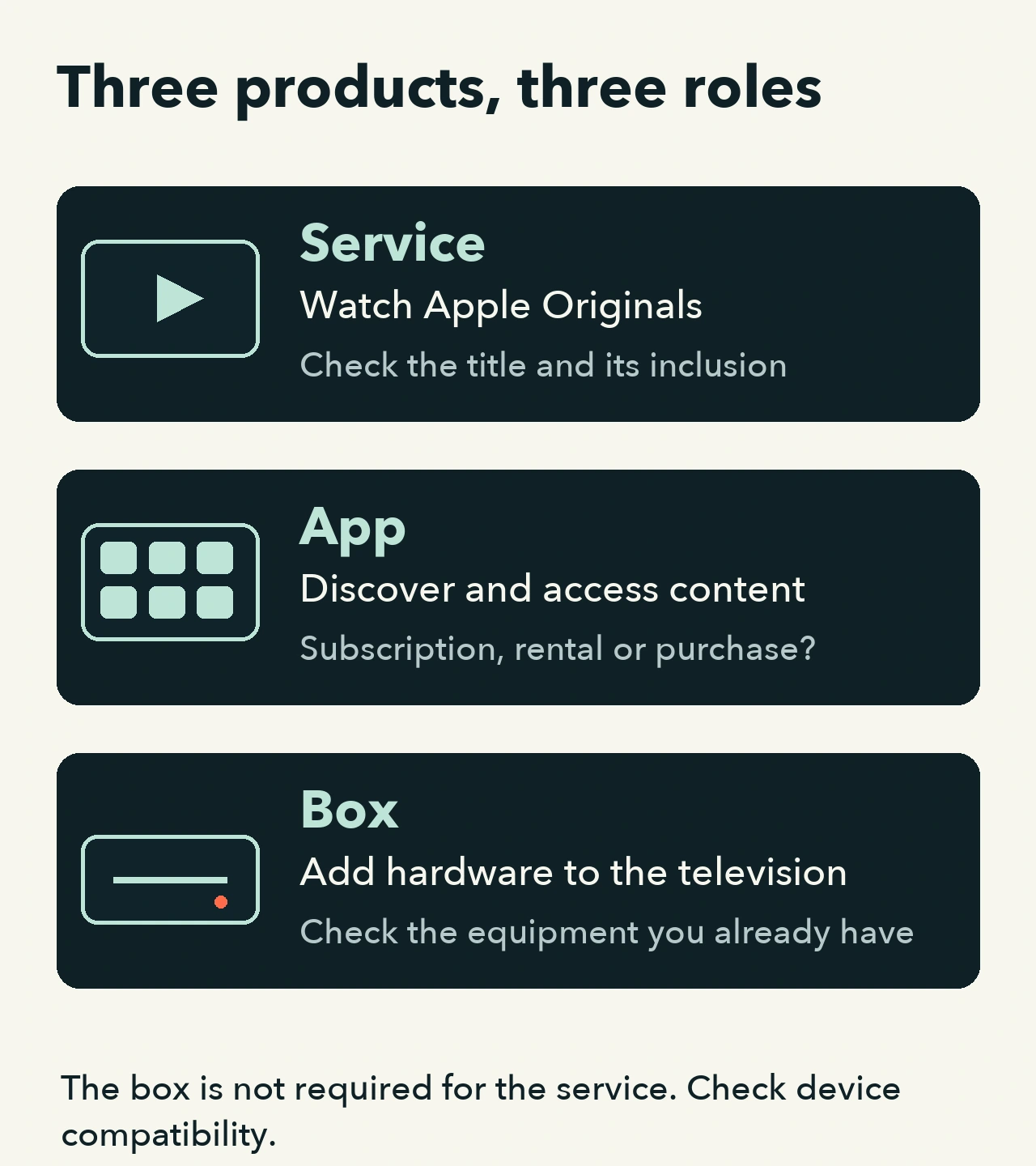
Three products, three questions before you buy
Apple TV service
Its role: A streaming subscription providing access to Apple Originals.
What to check: Is the film, series or episode you want included in this offer in Canada?
Apple TV app
Its role: An interface for discovering and accessing content and offers available on your device.
What to check: Does the title belong to the Apple TV service, a rental, a purchase or another subscription?
Apple TV 4K box
Its role: A hardware device you connect to a television, separate from the service.
What to check: Do you need new equipment, or is your current device already compatible?
Apple presents the streaming service as Apple TV. If you searched for “Apple TV+”, also check which service and offer the current listing describes. Identifying the service, application and hardware is more useful for choosing a purchase than relying on the name alone.
Not everything in the app is included in the subscription
Apple’s official guide says that an Apple TV subscription does not include other branded services or content offered for rental or purchase in the app. A visible poster in the application is not proof that a title is included.
Before paying, find the listing for the title and episode you want. Check the offer shown, the language or version you need and any separate price. If those details remain unclear, use the provider’s help before adding a subscription. Apple also notes that content and some features vary by country and device.
$14.99 CAD per month: check which offer the price describes
When we read Apple’s Canadian page on , the individual streaming service was displayed at $14.99 per month. This is a reference for the Canadian service offer, not the box’s price or the cost of everything in the app. Check the amount, currency, billing period, taxes and terms shown for your own offer before paying.
Apple also lists the service as included in Apple One. If you already have an offer, check its inclusions and billing provider before adding another payment. We do not assume your eligibility for a promotion, an annual price or the terms of a trial.
Video: connect your viewing need to the right purchase
This original animation follows a practical decision: identify the content, distinguish the possible payments and then check your equipment. It is silent, with English captions and a transcript. The visuals are explanatory diagrams, not a recording of an Apple interface or a real subscription.
Video transcript
- Apple TV can mean a service, an app or a box. This diagram explains their roles; it is not a test.
- Start with the content you want to watch. Do not automatically begin by buying hardware.
- Find the title, episode and version you want. Check which offer includes them in Canada.
- A poster in the app does not prove that the Apple TV service subscription includes the title.
- A rental or purchase is a separate payment from the service subscription.
- Apple’s guide also excludes other branded services. Check the listing for the content you want.
- Check your current device’s exact model and its compatible app or web access.
- An Apple TV 4K box is not required for the service. This does not mean that every device is compatible.
- Already have an offer? Check its inclusions and billing provider before adding a payment.
- Apple lists the service as included in Apple One. Check your own offer; we do not assume your eligibility.
- Record the title, offer and confirmed inclusion. Keep “not checked” for missing answers.
- Check the currency, amount, billing period and terms shown for your offer.
- Confirm the device and compatible access route. This worksheet does not need a password or card number.
- When the answers are confirmed, choose what fits your need. These situations are illustrative.
- If a detail is unknown, ask before paying. We have not subscribed or tested a device.
Three fictional situations to help you decide
- You want an Apple Originals series on your current television. First check the title and Canadian offer, then your exact TV model’s compatibility. Do not automatically buy a box to answer a subscription question.
- The film you want has a rental or purchase price. That payment is separate from the service subscription. Read the listing’s terms rather than assuming a subscription will remove the price.
- You already have an offer that includes Apple TV. Confirm its inclusions and billing provider. Consider buying hardware afterwards, if your existing equipment does not meet your need.
These are possible decisions, not purchases or tests performed by our team.
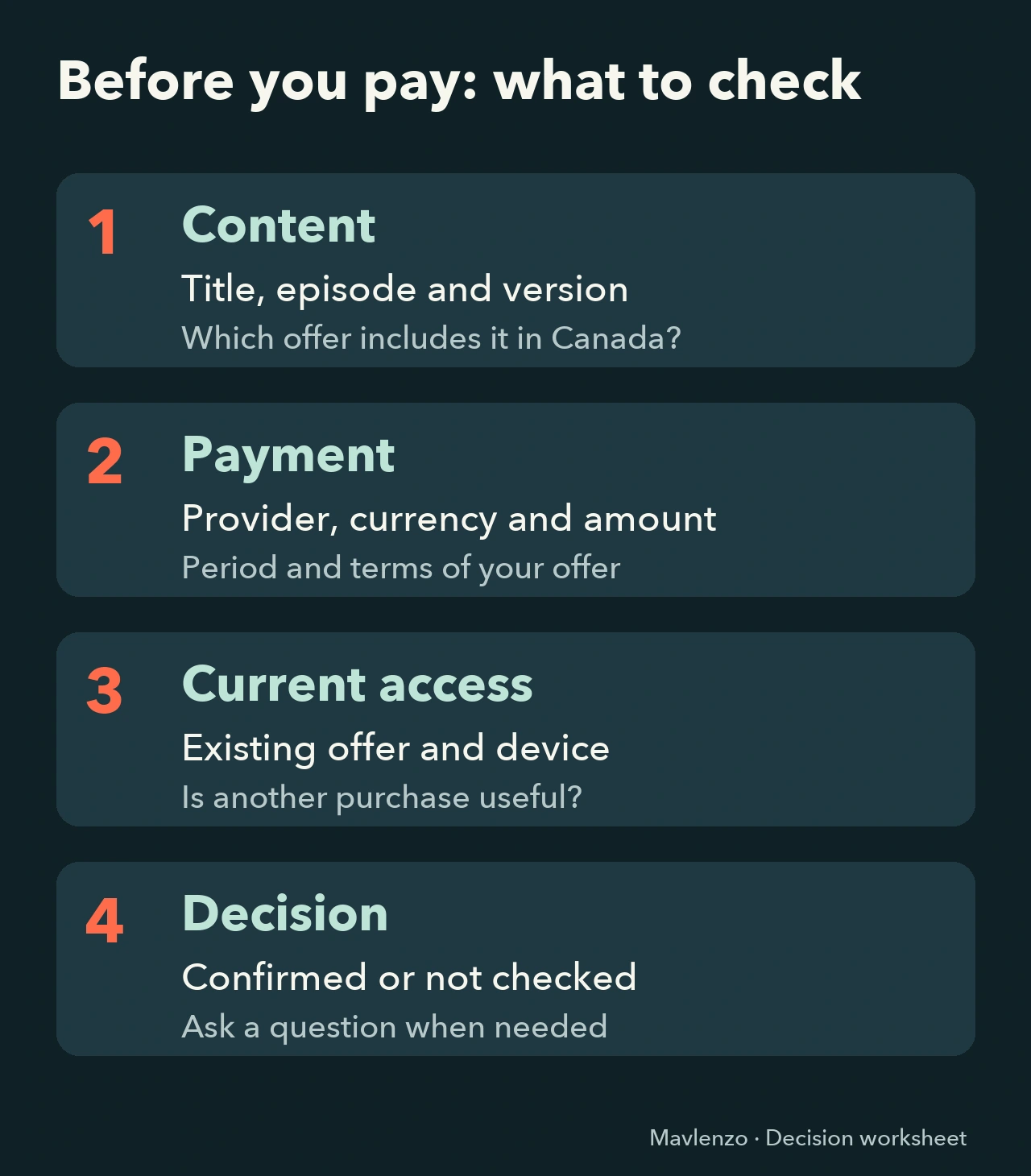
Your pre-payment worksheet
Copy these lines into your notes. Keep “not checked” for missing answers; you do not need a password or card number.
- Market and need: Canada; title, season, episode and the version you want.
- Offer: Apple TV service, rental, purchase or another provider; inclusion confirmed or not checked.
- Billing: provider collecting payment, currency, amount, period and offer terms.
- Existing access: current subscription or offer; inclusions checked before adding a payment.
- Device: exact model and confirmed compatible access; new hardware needed or not checked.
- Decision: enough answers to proceed, or a question to resolve before paying.
Already know your subscription but have no sound from an Apple TV box? Continue with our Apple TV audio troubleshooting guide. It addresses a playback problem, which is different from the purchasing decision here.
Sources and method
We read Apple’s Canadian service page and the official Apple TV app guide. The Canadian page supports the displayed price and the fact that a box is not required; the guide explains the exclusions. Mavlenzo created the illustrations and animation around these documented distinctions. We did not subscribe, play a title or test a device for this guide. Mavlenzo is independent of Apple, and its own commercial offers are not Apple TV subscriptions.