To watch Crave or ICI TOU.TV on your television, first check whether you open the app on the TV or send video from another device. The service, plan and receiver can permit one route while excluding another. A missing control does not necessarily mean your network is faulty.
This documentary comparison uses official help read on October 31, 2026 for these two Canadian services. It helps you choose the relevant check; no account, device or playback route was tested.
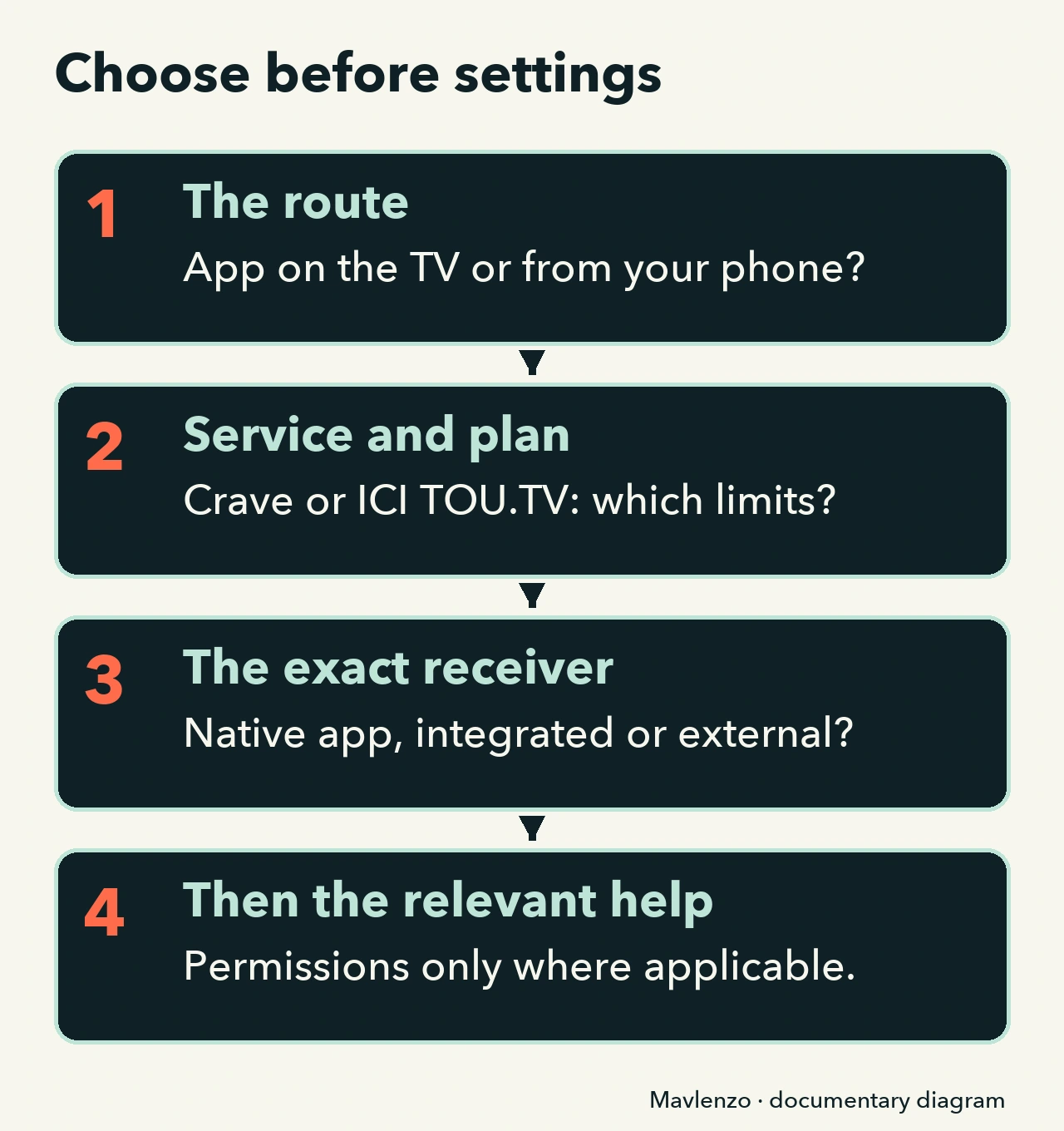
Choose the route before changing settings
Native TV app: you open Crave or ICI TOU.TV directly on a television or streaming box. Sending from another device: you use a feature such as Google Cast or AirPlay. The box’s name alone is insufficient: Chromecast with Google TV can be used through different routes.
Start with “which service, app and receiver for this route?” before “which permission should I change?” Our Cast setup guide explains general preparation; the comparison below adds the two services’ specific limits.
The Crave and ICI TOU.TV comparison
“Listed” means present in the help, rather than guaranteed playback. The title, plan and exact model still need checking. On a phone, scroll the table horizontally if necessary.
| Service and route | Documented status | Your next decision |
|---|---|---|
| Crave: AirPlay or Chromecast | Crave currently excludes casting for ad-supported content and plans. | Check that condition before permissions. It does not establish that every other combination works. |
| Crave: app on a TV or streaming box | The device list separates these apps from its casting section. | Match the exact model to its section. Do not apply the casting restriction to every TV app. |
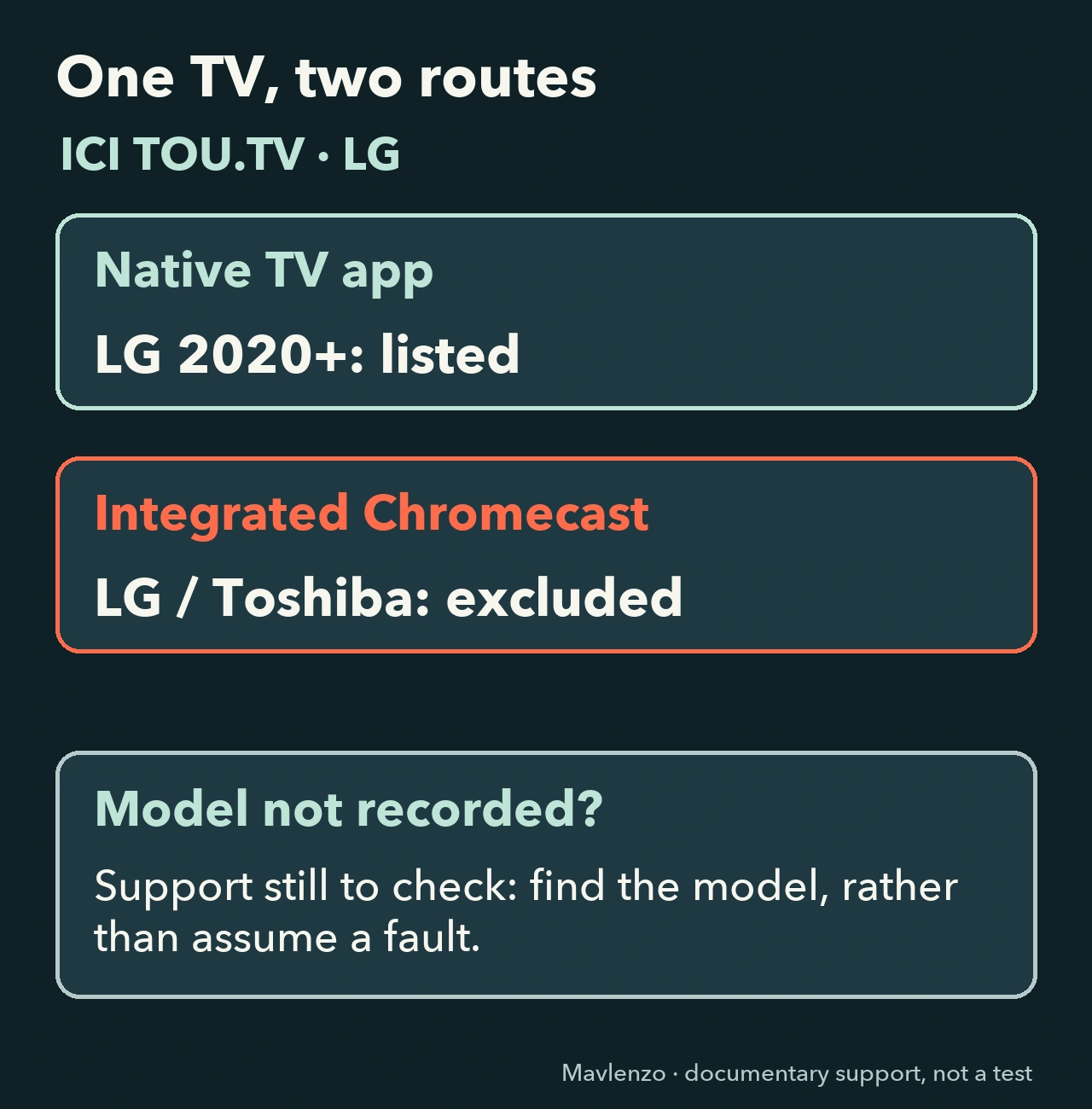
| ICI TOU.TV: LG TV app | LG televisions from 2020 onward appear in the smart-TV section. | Check the model and app; this entry does not validate its integrated Cast receiver. |
| ICI TOU.TV: integrated Chromecast | Chromecast integrated into LG and Toshiba TVs is excluded. | Consider another documented route that fits your equipment, rather than a setting meant to remove this limit. |
| ICI TOU.TV: external Chromecast | Second generation onward, including Google TV, is listed; first generation is excluded. | Identify the generation. The Chromecast brand alone does not validate the receiver. |
| ICI TOU.TV: Apple TV | The help separates the native app from AirPlay sent by another Apple device. | Check compatible Apple TV hardware and the route used. This help does not validate every AirPlay TV. |
The Crave rows use its device compatibility list, in English. For ICI TOU.TV, use Radio-Canada’s French platform and exclusion list and Apple TV or AirPlay help.
What the comparison changes on an LG TV
For ICI TOU.TV, “LG TV app listed” and “integrated Chromecast unsupported” can describe two different ways to use a television. Choosing the native app when it matches the documented model differs from trying to discover its integrated receiver. Neither entry certifies your title or successful playback.
For Crave, start with the content and plan before looking for a casting permission. The detailed plan choice belongs in our Crave plan comparison. For free or EXTRA access, see the ICI TOU.TV comparison; that addresses a different question from receiver eligibility.
When should you check permissions?
Once the service does not exclude your route and the receiver matches its documentation, open the relevant protocol help. For Google Cast, Google specifies an updated Cast-enabled app and a shared Wi-Fi network. Its help requires Local Network permission to discover Cast devices on iOS 14 or later and macOS 15 or later. Those thresholds concern permission: they do not establish that the Crave or ICI TOU.TV app supports your operating-system version.
Read the Google Cast conditions for your situation. For an AirPlay route, our AirPlay diagnostic guide separates app control, destination, access and playback. A permission change cannot remove a service restriction.
Video: choose the route before settings
The original Mavlenzo animation compares conditions and shows how to keep an unknown model marked “not checked.” It uses diagrams rather than reproducing an interface or simulating a repair. It is silent, with English captions and a transcript.
Video transcript
- Crave or ICI TOU.TV: first choose the route to your television.
- Documentary animation: support conditions compared, without a device test.
- Crave excludes casting for ad-supported content and plans.
- The section names AirPlay and Chromecast. Permission cannot remove this restriction.
- The Crave TV app is another route. Match your model to its device list.
- A listed device does not guarantee the title, plan or successful playback.
- ICI TOU.TV lists its app on LG televisions from 2020 onward.
- But Chromecast integrated into LG and Toshiba TVs is excluded. Separate the routes.
- External Chromecast has its own entry: second generation onward, including Google TV.
- First generation is excluded. Identify the model before choosing help.
- On compatible Apple TV, ICI TOU.TV describes the native app and AirPlay from another Apple device.
- That AirPlay route specifies Apple TV; it does not validate every television.
- Eligible route? For Google Cast: an updated Cast-enabled app and the same Wi-Fi network.
- Local Network: Google specifies iOS 14+ and macOS 15+. This threshold does not validate the service app.
- Unknown model? Keep “not checked” and find its reference before changing settings.
- An unsupported route differs from support still to check or playback actually tested.
If the model or plan is still unknown
Keep the status “support still to check.” Find the TV or box’s model reference, identify the app you open and how you start the video, then ask the service’s support which section applies. You can identify those details before changing plans or buying a receiver. Do not send a password or pairing code.
This comparison brings together documents from Crave, Radio-Canada and Google. Two help pages from one publisher are not independent confirmations. Conditions can change; check the current documents and your content access before paying. Our contribution is the route comparison and its consequences, without a claimed affiliation. Mavlenzo sells its own IPTV subscriptions; those are separate from the services compared here. Find other routes in our streaming guides.